
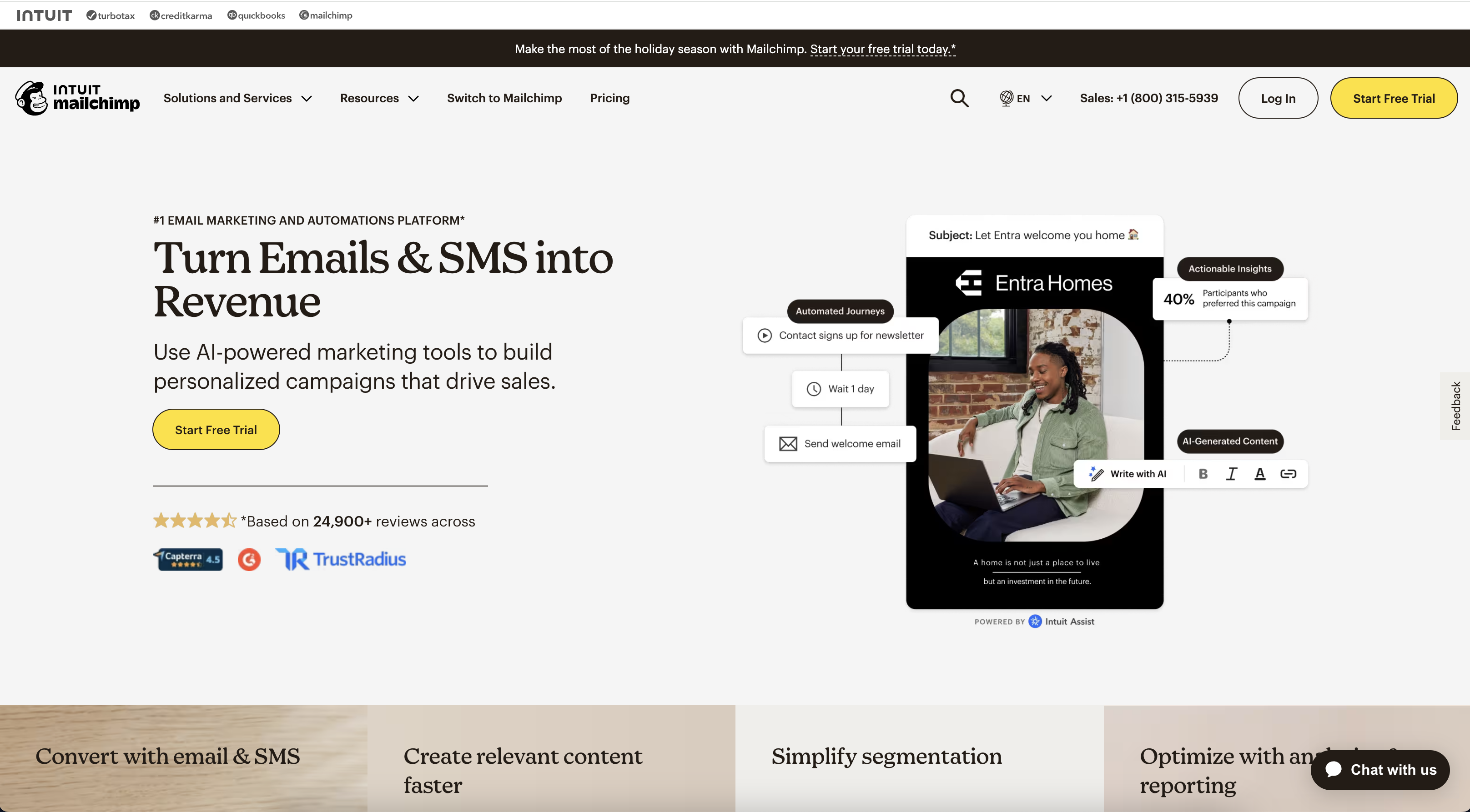
Mailchimp is a cloud-based email marketing service that allows businesses to create, send, and analyze email campaigns. The platform offers a range of features, including email templates, marketing automation, audience segmentation, and analytics.
Pros:
-
Real-Time Reporting
- Mailchimp provides real-time analytics, so you can monitor how your emails are performing right after they are sent. You can instantly see how many subscribers are opening your emails and which links they are clicking on, helping you react quickly if adjustments are needed.
-
A/B Testing Insights:
- With Mailchimp’s A/B testing (available in higher-tier plans), users can test different email elements like subject lines, content, and send times. Detailed reports break down the performance of each variation, helping you optimize future campaigns based on data.
-
Comparative Reports:
- Mailchimp allows users to compare multiple campaigns side by side, which is especially useful for analyzing performance trends over time. This comparative data can highlight patterns, such as which types of emails perform better on certain days or with specific audience segments.
-
Revenue Tracking:
- For e-commerce users, Mailchimp’s reporting includes purchase tracking and ROI metrics, allowing businesses to see how much revenue their email campaigns are driving directly. This is particularly beneficial for businesses looking to measure the real impact of their email marketing efforts.
Cons:
-
Expensive for Growing Businesses
- Mailchimp’s pricing can quickly become a burden as your subscriber list grows. While the free tier is helpful for beginners, once you exceed the subscriber limit (500 contacts) or need access to advanced features (like automation or advanced segmentation), the costs increase significantly. Businesses with larger lists or complex needs often find that other platforms offer more competitive pricing for similar or better features.
-
Limited Automation Features in Lower Plans
- Mailchimp offers powerful automation, but these features are only fully accessible in higher-tier plans. The basic “Essentials” plan limits the type of automation workflows you can create, which may be a drawback for smaller businesses that rely on automation to nurture leads or create drip campaigns. Other tools, such as ActiveCampaign or ConvertKit, may offer more robust automation capabilities at a lower price point.
-
Clunky User Interface
- While Mailchimp is generally user-friendly, some users report that the interface can feel cluttered and unintuitive, especially for those new to email marketing or marketing automation. Managing large campaigns or navigating through its features can become a bit cumbersome, leading to a steeper learning curve compared to other platforms with cleaner, more straightforward interfaces.
1. Creating and Managing Campaigns
Mailchimp provides a user-friendly interface for building email campaigns. You can choose from a variety of pre-designed templates or create custom emails using a drag-and-drop editor. This makes it easy for users with no coding experience to design professional-looking emails. The interface also allows you to add and customize elements such as text, images, buttons, and social media links.
Users can create different types of campaigns, such as:
- Regular Email Campaigns: One-time email blasts sent to your subscribers.
- Automated Campaigns: These include welcome emails, abandoned cart reminders, or drip campaigns that are sent based on specific triggers or actions taken by your subscribers.
- A/B Testing Campaigns: You can test different elements of your emails (subject lines, images, call-to-action buttons) to determine which performs better and optimize your campaign based on data.
Mailchimp allows users to manage their subscriber lists and segment audiences based on various criteria, such as demographics, past engagement, or purchasing behavior. This helps businesses send more personalized and relevant emails to specific groups of subscribers.
The platform makes it easy to:
- Import or build subscriber lists: You can import contacts from CSV files or integrate with other platforms (e.g., e-commerce stores or CRM systems) to automatically sync and update your lists.
- Create segments: You can segment your audience based on criteria like location, purchase history, or engagement with previous campaigns. This ensures that your emails are highly targeted and relevant to each recipient.
- Subscriber tags: Mailchimp allows you to tag subscribers with custom labels to organize your contacts more effectively and automate targeted campaigns.
One of Mailchimp’s standout features is its marketing automation capabilities, although access to more complex automation workflows requires higher-tier plans. Users can set up automated email sequences based on triggers like new sign-ups, birthdays, or purchase actions. This is helpful for nurturing leads and maintaining customer engagement over time.
Key automation features include:
- Customer Journeys: This feature enables businesses to map out the various touchpoints their customers experience, creating an automated workflow of emails based on customer behaviors (e.g., browsing products or abandoning a cart).
- Automated responses: Send instant replies to customer actions, like a welcome email when someone subscribes or a thank-you email after a purchase.
- Drip campaigns: These automated sequences gradually send relevant content to a subscriber over a period of time.
Mailchimp offers comprehensive reporting and analytics to help businesses measure the performance of their email marketing efforts. Once a campaign is sent, users can access detailed reports showing important metrics, such as:
- Open rates: The percentage of recipients who opened your email.
- Click-through rates (CTR): How many people clicked on links within your email.
- Bounce rates: Emails that couldn’t be delivered.
- Revenue tracking: For e-commerce businesses, Mailchimp tracks purchases made from email links, allowing you to measure direct sales from your campaigns.
Additionally, Mailchimp provides real-time tracking, so you can monitor the success of your campaign immediately after it is sent. You can also set up automated reports to be sent to your inbox, providing an ongoing view of performance without needing to log into the platform.
Mailchimp integrates with hundreds of third-party tools, including popular platforms like Shopify, WooCommerce, and WordPress. This integration capability is especially valuable for businesses looking to sync their e-commerce data with their email marketing efforts. Mailchimp can automatically send product recommendations based on past customer behavior or notify subscribers about items they left in their cart.
For e-commerce users, Mailchimp offers:
Revenue reporting: Track how much revenue your email campaigns generate directly from subscribers.nd varied therapist response rates should be weighed against the platform’s advantages.
Abandoned cart emails: Remind customers about items they left in their cart, encouraging them to complete the purchase.
Product recommendations: Based on previous purchases, you can send personalized product recommendations.
Mailchimp’s combination of ease of use, flexibility, and powerful automation tools make it a go-to platform for both beginner and experienced marketers. Whether you’re managing simple email campaigns or executing advanced automations and analytics, Mailchimp provides the tools to optimize and scale your email marketing efforts.